
Everything you need to run your construction company.
11 integrated areas in a single system. Data updates automatically between them.

On site
What happens on site gets into Aedify while you work, from a phone or tablet: schedules, crew hours, delivery notes and photos.
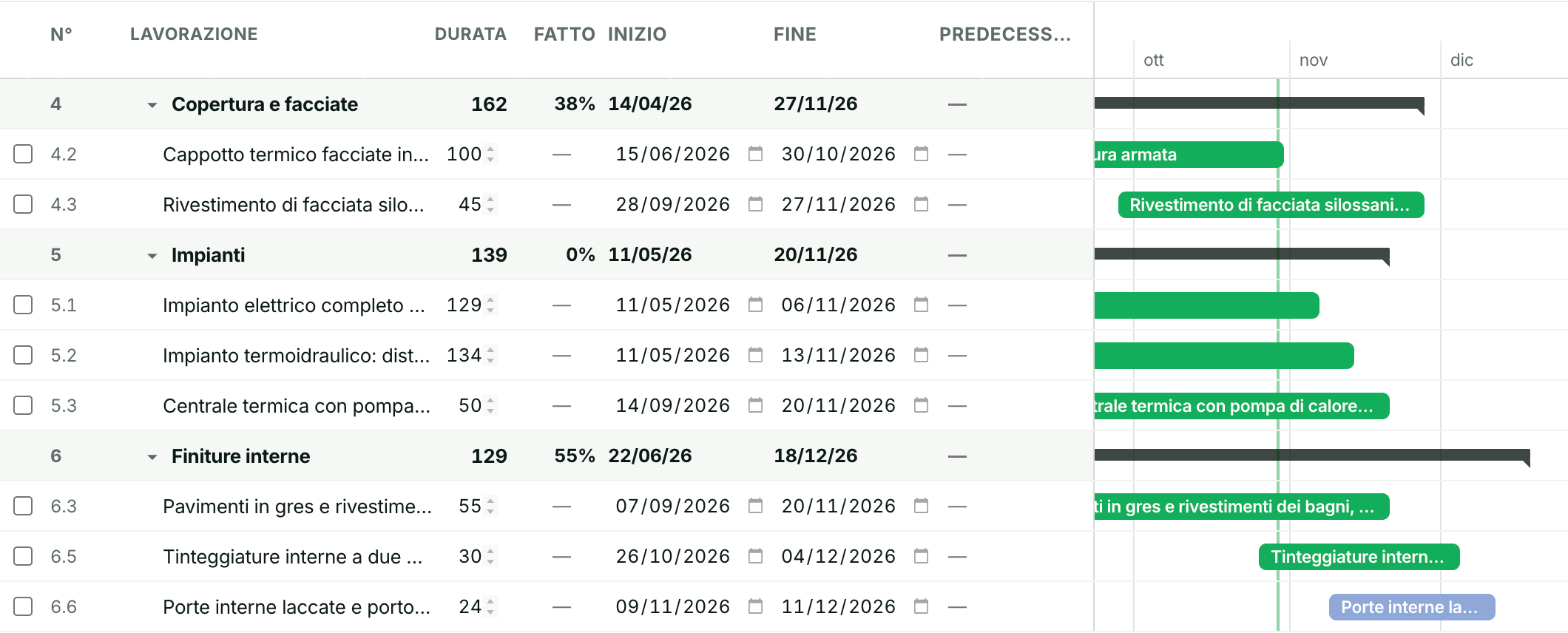
A site schedule: tasks, duration, percentage done, start and end dates.
Sites
Every site has its schedule: tasks in order, how much is done and when it ends. Reports, hours and materials attach to the right site.
Discover →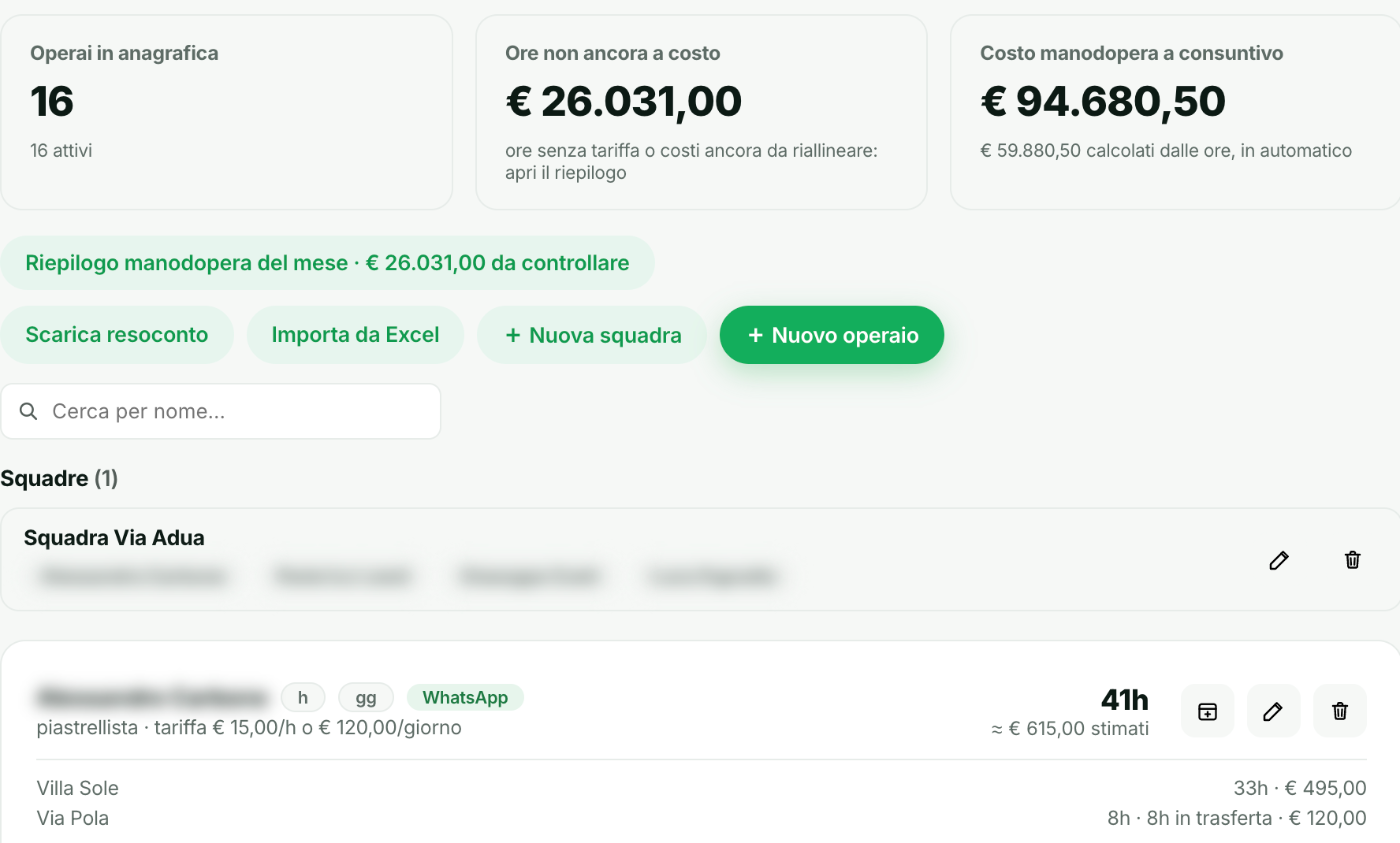
Staff: workers on file, hours not yet costed and labour cost, crew by crew.
Resources
Crews send their hours with a WhatsApp voice note. Aedify logs them and works out the labour cost straight away, site by site.
Discover →Example: the site manager sends a WhatsApp voice note and Aedify logs the hours on the right site and updates the margin; then they photograph a delivery note and Aedify reads it and files it on the right site.

Documents
The site manager photographs the delivery note and sends it on WhatsApp. Aedify files it under the right site, together with the site photos.
Discover →A site schedule: tasks, duration, percentage done, start and end dates.

In the office
Quotes, invoices and bank without copying anything: the data is already there, you just check.

The Quotes page: the «Generate with AI» button, open quotes, win rate and secured value.
Quotes
Describe the job in plain words and Aedify writes the quote line by line. Then you see how many are open, how many you win and how much you've secured.
Discover →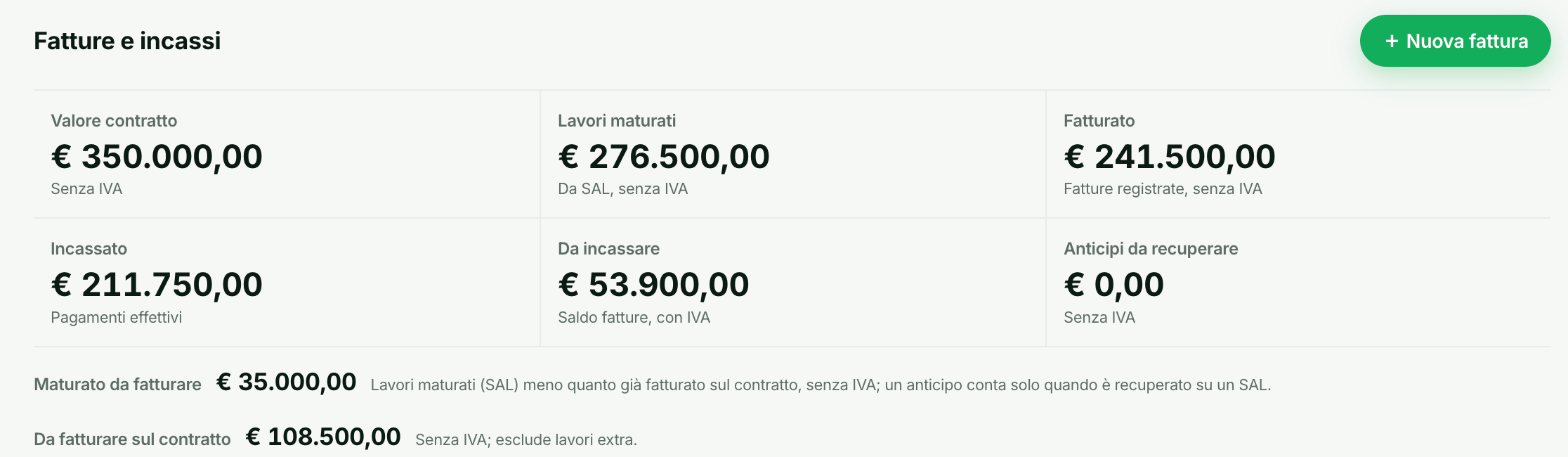
Invoices and payments for a site: contract value, work accrued, invoiced, collected and outstanding.
Accounting
For every site you know the contract value, how much you've invoiced, how much you've collected and how much is still owed.
Discover →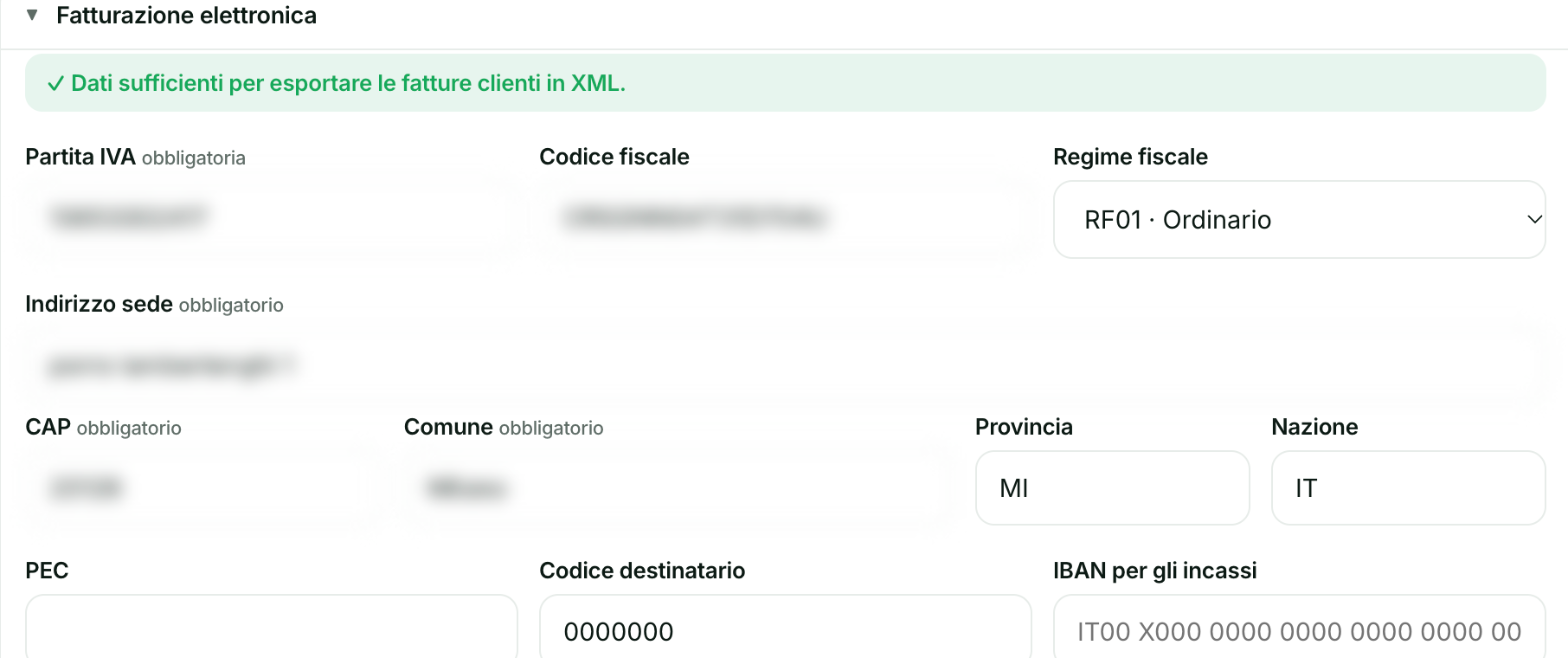
Settings › E-invoicing: the recipient code you delegate to Aedify.
Invoice intake
Enter Aedify's recipient code once. From then on supplier invoices arrive on their own, with no PEC inbox and no downloads.
Discover →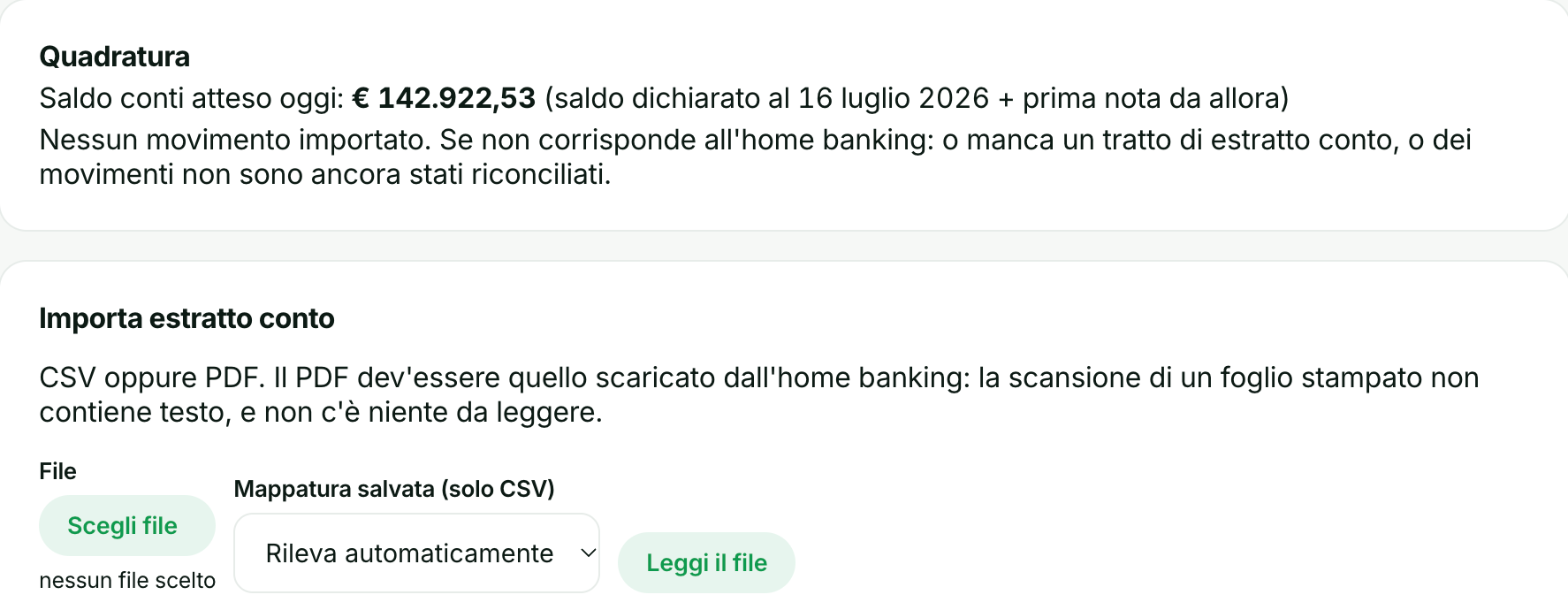
Account reconciliation and import of the statement downloaded from online banking.
Bank
Import your bank statement as CSV or PDF: Aedify checks the balance adds up and suggests matching transactions with invoices and costs.
Discover →The Quotes page: the «Generate with AI» button, open quotes, win rate and secured value.

To decide
The numbers you need to decide, updated on their own: margins, deadlines and the state of the whole company.
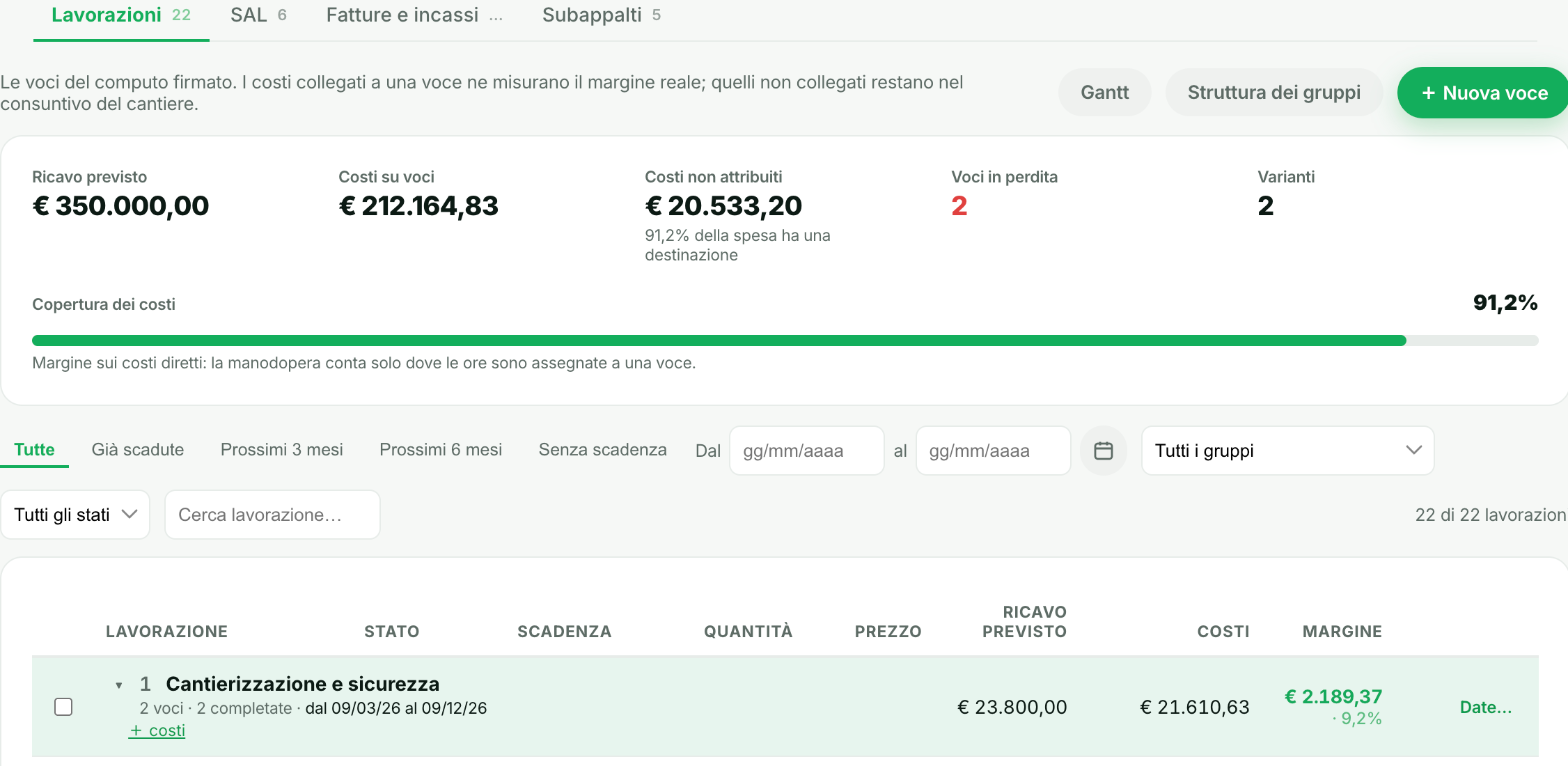
A site's work items with expected revenue, costs and margin, and how much of the costs is already covered.
Margins
The margin of every site, item by item: expected revenue, costs incurred and what's left. It updates with every cost you record.
Discover →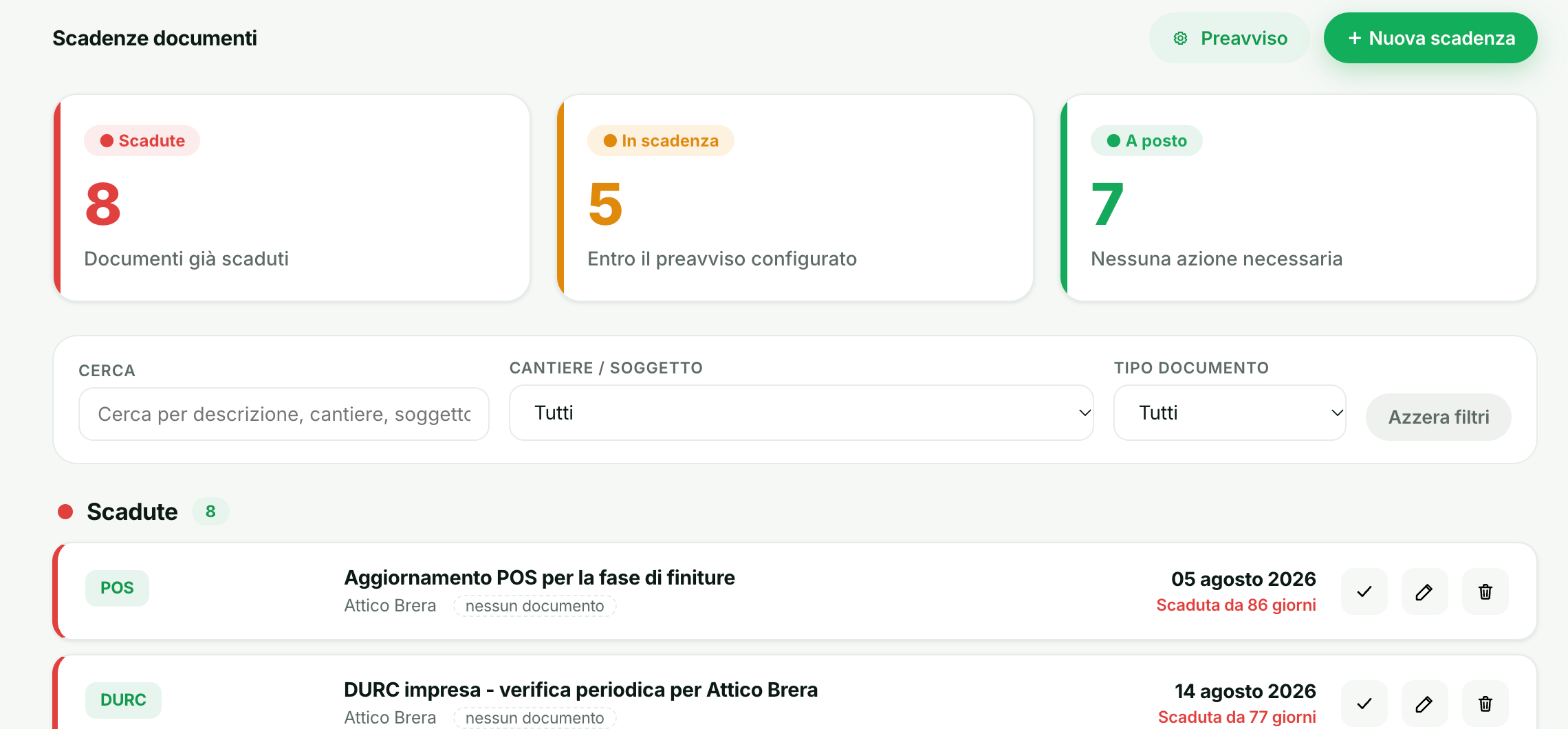
Document deadlines: expired, due soon and fine, filterable by site and document type.
Deadlines
DURC, safety plans, inspections and medical checks in one list: expired, due soon and fine, with the notice period you choose.
Discover →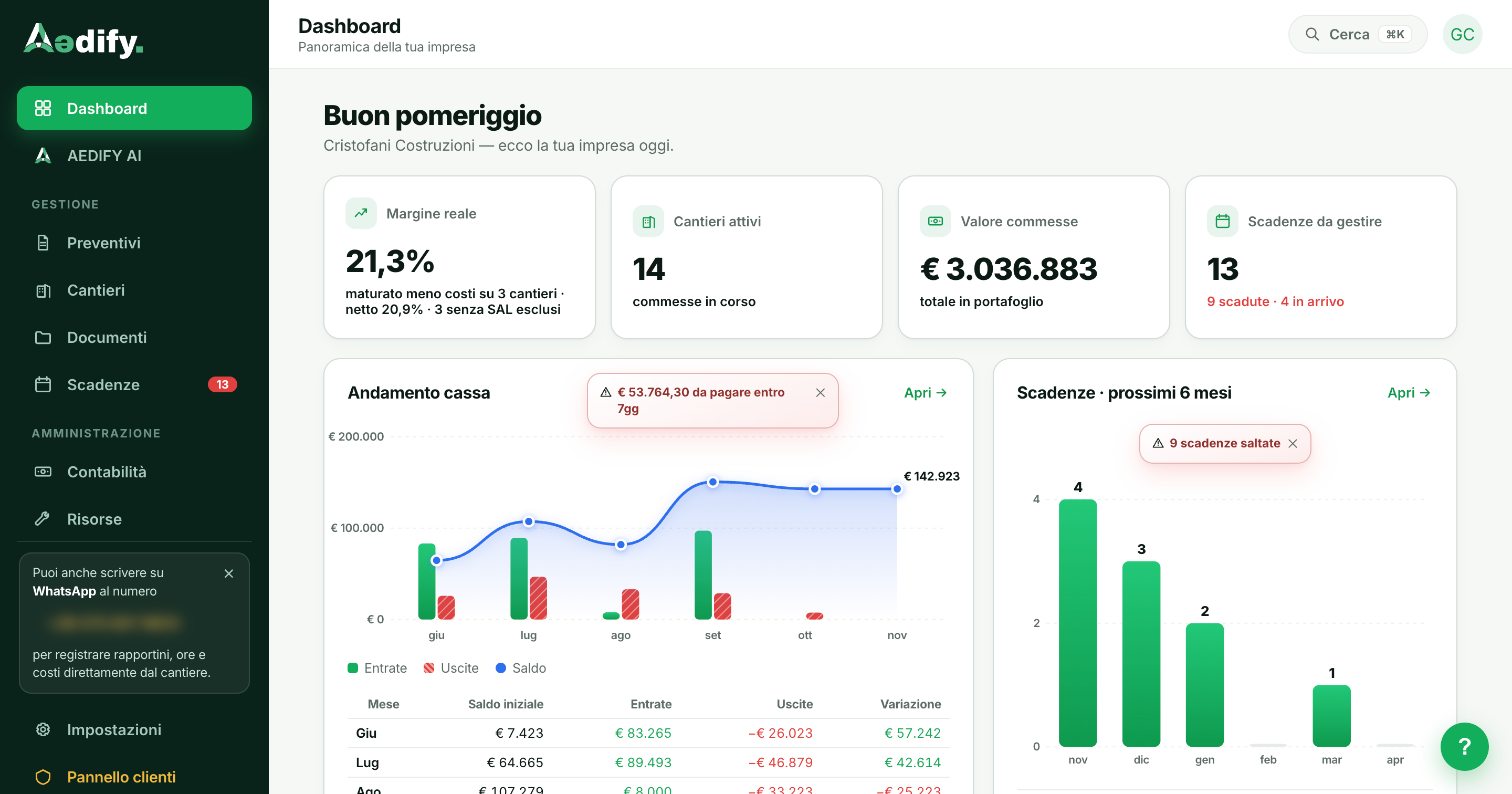
The dashboard: real margin, active sites, order book, cash and deadlines for the next six months.
Dashboard
Open Aedify and on one screen you see real margin, active sites, order book value, cash flow and the deadlines of the coming months.
Discover →A site's work items with expected revenue, costs and margin, and how much of the costs is already covered.

Data updates automatically between them
Aedify isn't 11 separate tools bolted together. It's a single system where every piece of information, as soon as it comes in, updates everything related to it, with no manual syncing.
- 01A logged hour immediately updates the site's cost estimate, with no double entry
- 02An archived document is instantly linked to the right site
- 03A renewed deadline is reflected everywhere it appears in the system
- 04No double entry, no mismatches between sections
Want to see all 11 features in action?
In 15 minutes we'll show you all of them, on your real case.